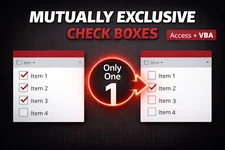
Mutually Exclusive Check Boxes in a Microsoft Access Continuous Form

A very common UI requests I hear from Microsoft Access developers goes something like this:

I have a continuous form with a check box, and only one record should be allowed to have it checked at a time.

Think :

  • Primary Phone
  • Default Address
  • Main Contact
  • Preferred Email
  • etc.

In a perfect world, we’d just use option buttons. But continuous forms don’t work that way where each record is rendered independently, so Access gives us many check boxes, not one logical group.

So how do we enforce mutual exclusivity?

Let’s walk through this step by step, starting with a straightforward After Update solution and progressively refining it into something cleaner, reusable, and faster. You pick the approach that suits your needs.
 
Continue reading

Is Microsoft Access Still a Good Business Solution in 2026?

For decades, Microsoft Access has held a unique place in the business software landscape, bridging the gap between spreadsheets and full-scale databases. It gave power users a way to build small, custom applications without needing a dedicated development team. As the business and software environments evolve, I am beginning to question whether Access continues to hold its value as a practical solution.

Access still offers undeniable strengths. It is straightforward to deploy, integrates cleanly with other Microsoft products, and remains approachable for those without a programming background. I can quickly create solutions that do exactly what I need, without waiting for IT support.
 
Continue reading

🖨️The Printer Rebellion of 2026 🔥⚔️

I got called by a client to add a printer to their Windows 11 laptop. They’d had the unit for a couple weeks already, and everything else was humming along just fine.

This will be an easy job (shouldn’t have thought that!), I’ve done this numerous times before without ever having any issues!

So I connected remotely to her laptop and got to work.
 
Continue reading

Microsoft Breaks Google and Outlook REST API Samples

Software Bug

I’ve recently noticed several reports about new problems with the legacy Web Browser control, issues like PDFs suddenly becoming inaccessible. Unfortunately, I can now confirm that a recent Microsoft update(s) have also affected my Google REST API and Outlook Graph API samples. The authentication form, which relies on the Web Browser control, no longer displays making it now impossible to authenticate and thus you can no longer actually interact with either REST API.

While Microsoft originally stated that the Web Browser control would remain fully supported through 2029, it’s becoming clear that this is no longer the case.

At this point, with all the ongoing issues, never ending bugs, now breaking of longstanding features/processes, one has to very seriously consider if Access is truly a viable business solution anymore.

The Shocking Truth About Microsoft’s Feedback Portal!

Microsoft Feedback

After a couple recent posts, such as:

where I discovered that a Feedback Portal Suggestion was deleted, and then another, and yet another. Today, I decided to take a closer look at what I’ve post here on my site and their current status within the Feedback Portal. I stopped after reviewing 34 suggestions from 9 different posts as adding more does nothing to reinforce the point to be made (and yes, there were even more that I could add to the list below! I simply pulled them as they appeared in my blog – so chronologically I suppose). The results speak for themselves and there is absolutely nothing anyone from Microsoft could ever say to be able to shine a different light or spin this in any positive manner. I truly was not expecting what I found and the words escape me at the moment.

Continue reading

Another One Bites The Dust

Randomly decided to look at the Feedback Portal today, and something just felt… off. After a bit of investigating, I finally put my finger on it.

Another one’s gone. Vanished without a trace, no notice, no status, no archive. Just that eerie emptiness where an idea used to be.

Continue reading

PowerShell Get-ComputerSpecs: Your IT Swiss Army Knife

In IT we often need to quickly get high-level information about our systems. That’s why I developed this PowerShell script, it grabs comprehensive hardware and software inventory from Windows machines, locally or remotely, in seconds.

Script Capabilities

This function delivers a treasure trove of system details in a single PSCustomObject:

Hardware Specs: CPU (cores/logical processors), motherboard details, RAM (manufacturer, capacity, DDR type/speed), disks (model, SSD/HDD/NVMe, size/free space), GPUs.

System Essentials: Manufacturer/model/serial, BIOS version, firmware mode (UEFI/Legacy), OS build/install date, last boot time, IP/MAC addresses.

Security Posture: TPM presence/version, Secure Boot status, BitLocker on system drive, Windows Defender (real-time protection), Firewall profiles, TLS support.

Operational Status: Power plan, Windows Update (pending/reboot flags).

 
Continue reading

Robots.txt and Blocking AI Bots What Website Owners Need to Know in 2026

What Is robots.txt

A robots.txt file is a plain text file placed in the root of your website:

https://yourdomain.com/robots.txt

It follows the Robots Exclusion Protocol REP and tells automated crawlers bots which parts of your site they are allowed to access.

User-agent: *
Disallow: /private/

This tells all bots not to crawl the /private/ directory.

Important robots.txt is voluntary. Legitimate bots respect it. Malicious bots do not.
 
Continue reading

The Microsoft Access Dev. Team :: MIA?!

Has anyone else noticed the silence from the Microsoft Access Dev Team lately? It’s like a ghost town.

There haven’t been any roadmap updates, blog posts, MS365 release notes, or announcements in quite some time, and all the existing roadmap items are now well past their expected release dates. We’re nearing the six month mark of nothingness (maybe even more).

This continued lack of communication makes the product look stagnant again, and frankly, it shows a real lack of respect for end users. When Microsoft repeatedly misses roadmap timelines and fails to provide any status updates, it sends the message that the users who rely on Access every day just aren’t a priority.

Continue reading